Pill Reminderby PiolezGet in touch

Your medicines.
A clearer
routine.

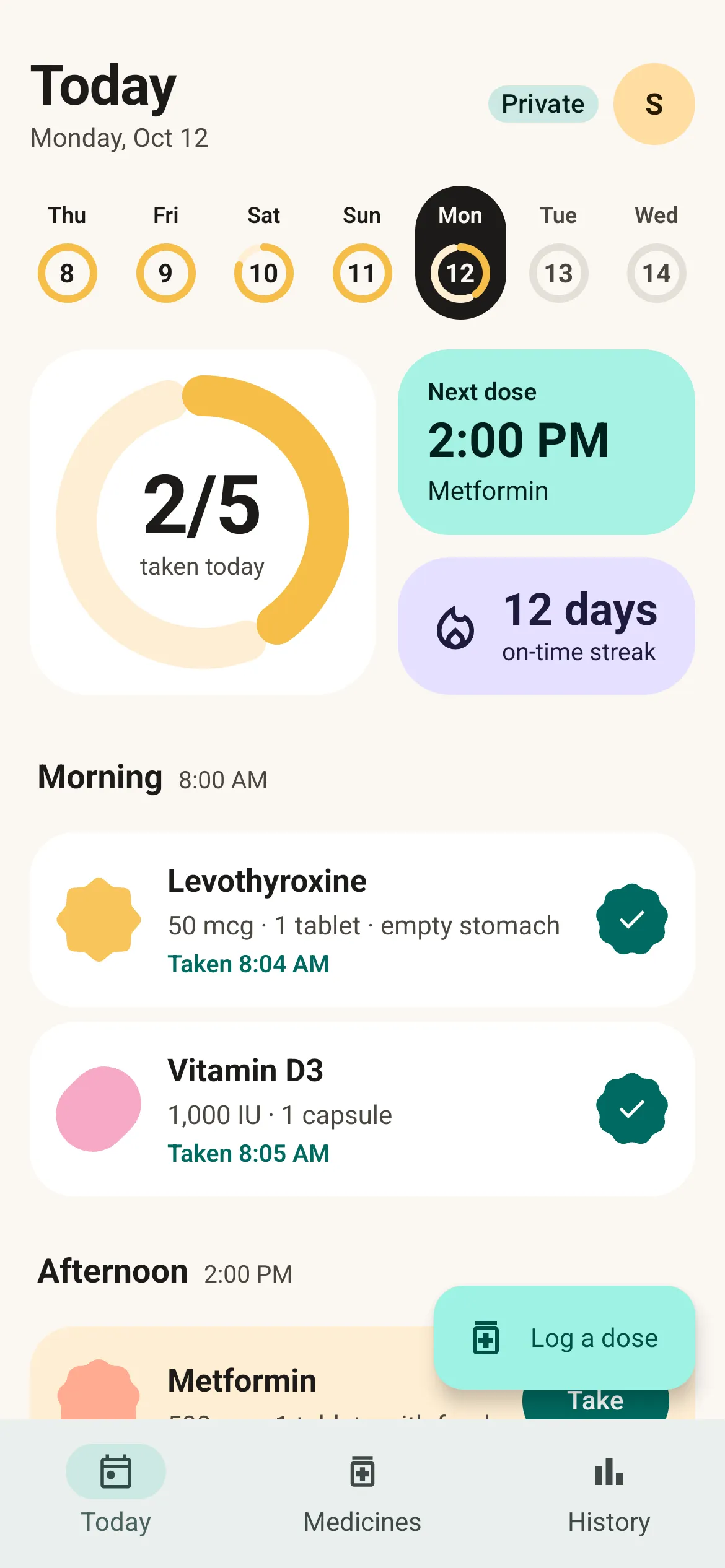
Pill Reminder Today screen showing a daily schedule, next dose and recorded doses

An offline pill reminder and medication tracker. Plan your doses, see what is due, and keep your history on your phone.

Explore the app Read our privacy policy

Made for Android

Our story

Less to keep
in your head.

A medicine routine is more than an alarm.

It’s remembering what is due, whether you took it, when the box will run out, and what to bring up at your next appointment. Those small details deserve a place of their own.

Pill Reminder brings them together: a clear view of today, a record to look back on, and practical tools for the days ahead. You enter the plan from your doctor or pharmacist. The app helps you keep it organized.

Find your way through the app
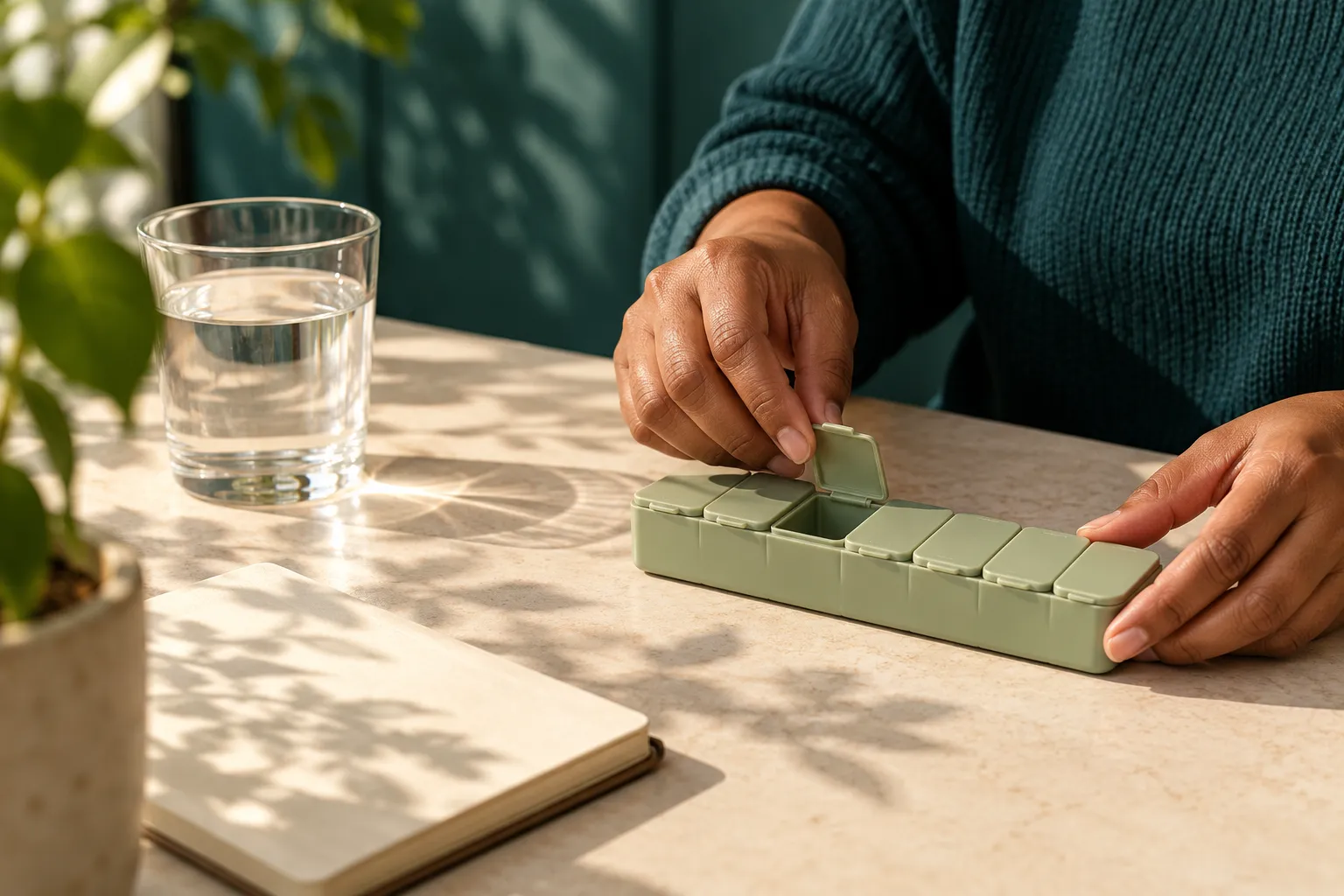
Hands opening a medicine organizer beside a glass of water and a notebook in warm daylight
Small details. A little more room in your day.

See your routine,
clearly.

Refills, before
you run low.

Track remaining stock and set a reminder for when it’s time to get more.
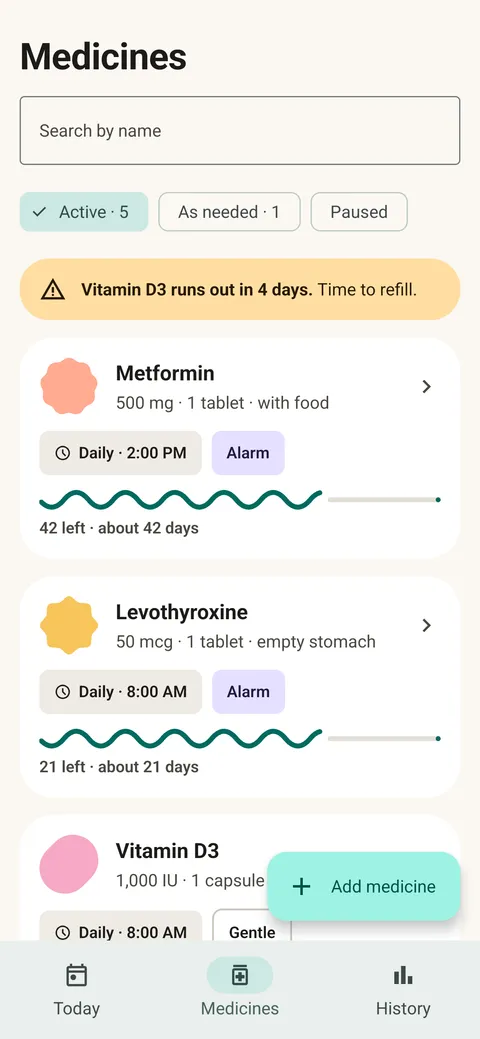
Medicine list showing remaining tablet counts and a low-stock notice

A view that
works for you.

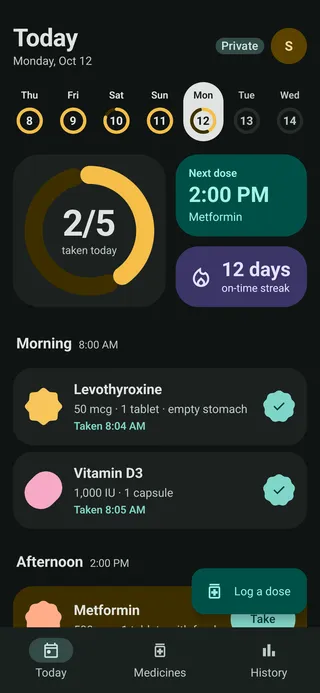
Simple mode, larger text, and light or dark themes. Find your comfortable view.
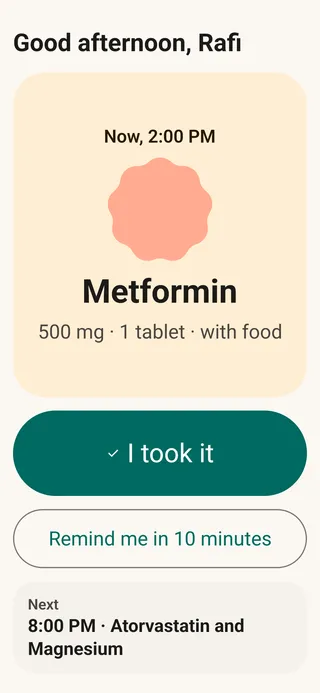
Simple mode showing a single dose with large text and actionsToday screen in the app’s dark theme

Everyday essentials

Practical tools.
For everyday care.

From your first reminder to your next appointment. The details, connected.

Schedules that fit

Daily, interval or as needed. Different doses, half tablets and courses with an end date.

  • Daily
  • Intervals
  • As needed

Reminders your way

Your sound. Your strength. Take, snooze or record a skipped dose.

Explore the screens
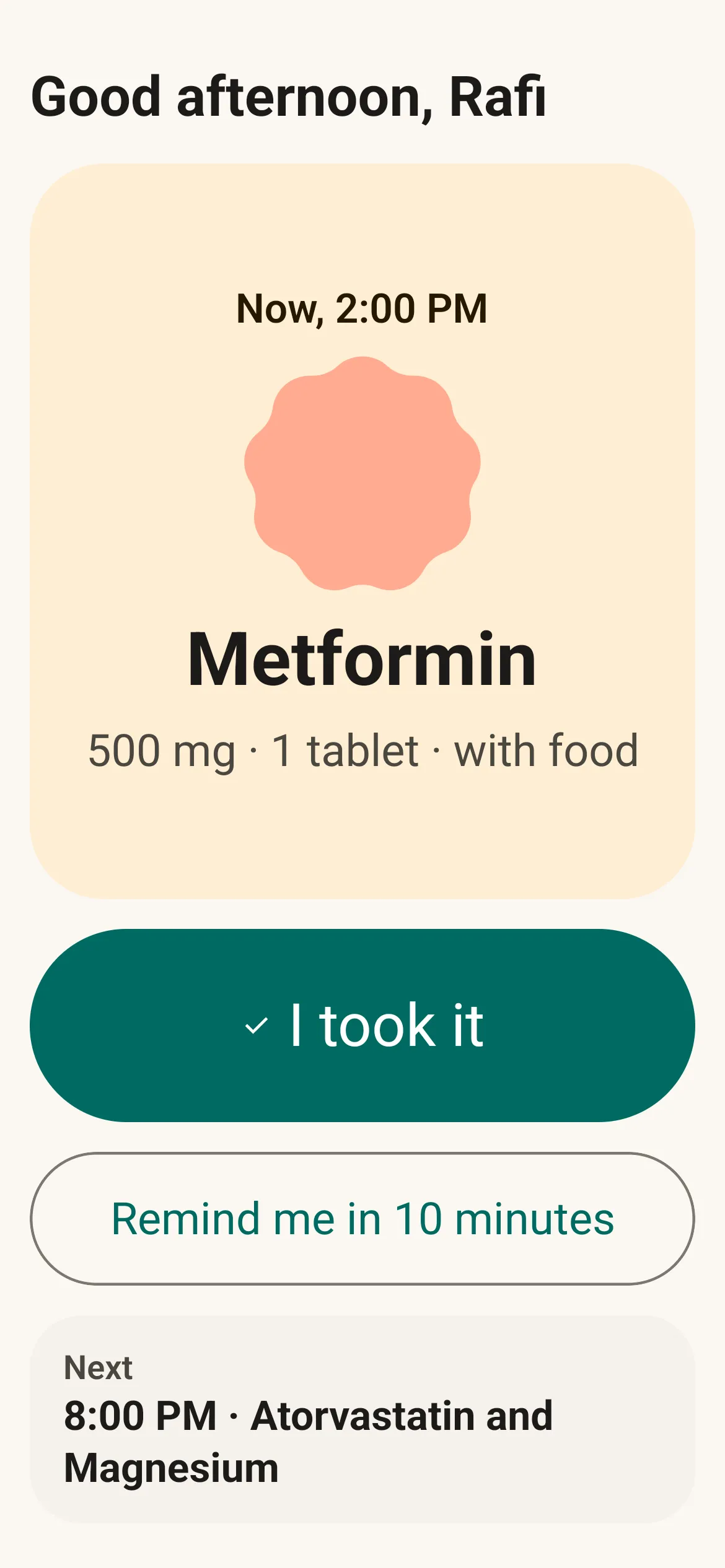
Real Simple mode reminder with large Take and Snooze actions

Care on one phone

Separate profiles. A clear routine for each person you care for.

  • You
  • Family
  • Pets

Health notes, together

Keep your recorded readings alongside your medicine routine.

  • Blood pressure
  • Glucose
  • Weight
  • Heart rate

Ready for your visit

Bring your medicine records and health readings into the conversation.

  • PDF doctor report
  • CSV export

A little setup. More clarity.

Find the Android settings that can interrupt your reminders.

  • Review notification permissions
  • Try a test alarm
  • Check battery settings
About reminder delivery

Profiles stay on this phone; they do not send remote caregiver alerts. Reminder delivery depends on Android permissions and battery settings.

Your roadmap

Your routine.
One step at a time.

Start with your medicines. Build a routine with the tools that help you.
  1. 01Make it yoursStart with your medicines
  2. 02Check your remindersBefore your first reminder
  3. 03Follow your dayOne dose at a time
  4. 04Look back clearlyWhenever you want to review
  5. 05Bring the detailsFor your next appointment
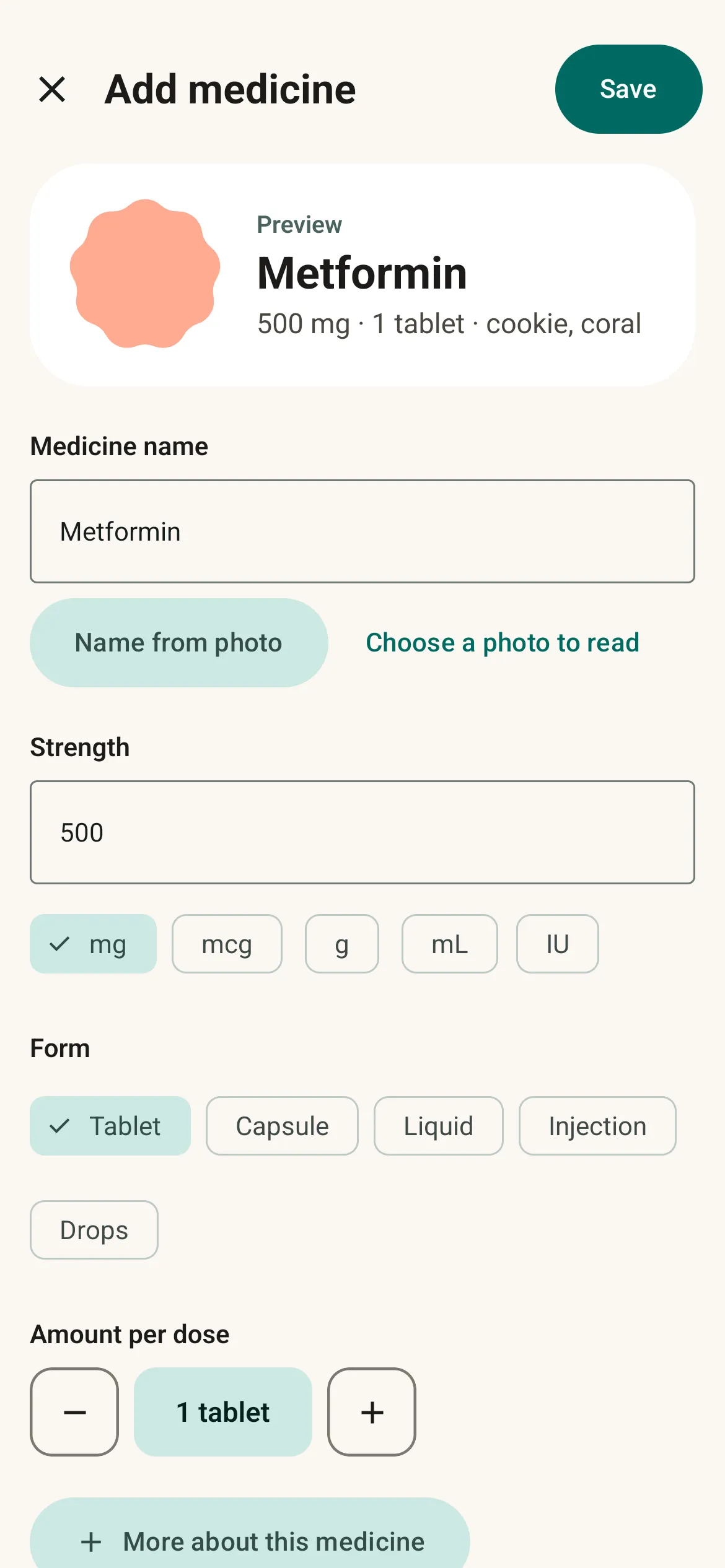
Real Add medicine screen with medicine details and schedule fields
01 / 05

Give every medicine a place.

Add the name, dose and instructions from your prescription. Set daily, interval or as-needed schedules, and an end date for a course.

Explore the medicine editor
Real Today screen showing the next scheduled dose
02 / 05

A little setup. More clarity.

Choose your reminder sound and strength, review Android permissions and try a test alarm. The reminder check-up helps you find settings that may interrupt alerts.

Learn about reminder delivery
Real Simple mode screen showing a single dose and large action buttons
03 / 05

Know what’s next.

See what is due and record what you took. Snooze when you need time, or record a skipped dose. Prefer a quieter view? Simple mode shows one dose at a time.

Explore the app screens
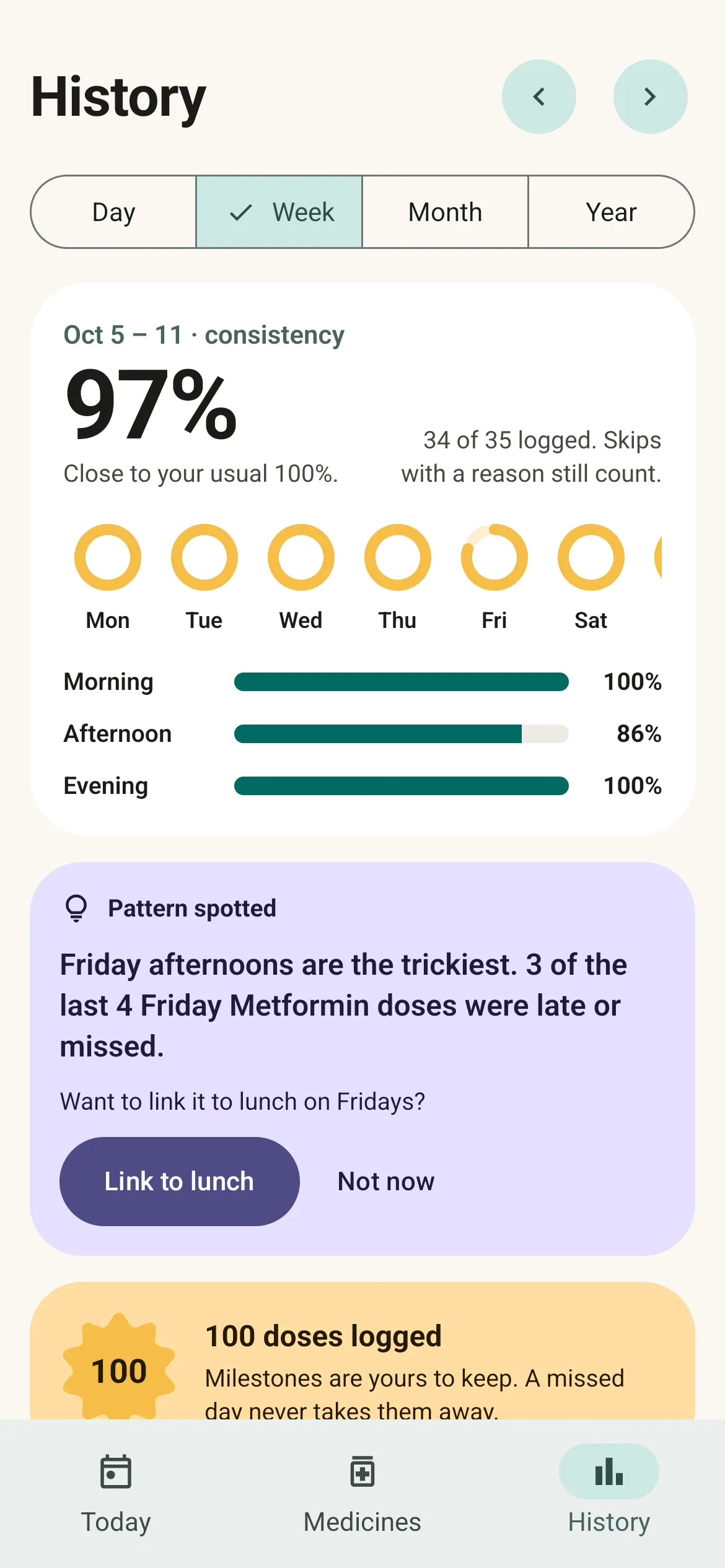
Real History screen with a weekly summary and daily dose records
04 / 05

Keep a record you can return to.

Review your dose history and weekly summary. Keep an eye on remaining stock, and log blood pressure, glucose, weight or heart rate alongside your routine.

See what you can track
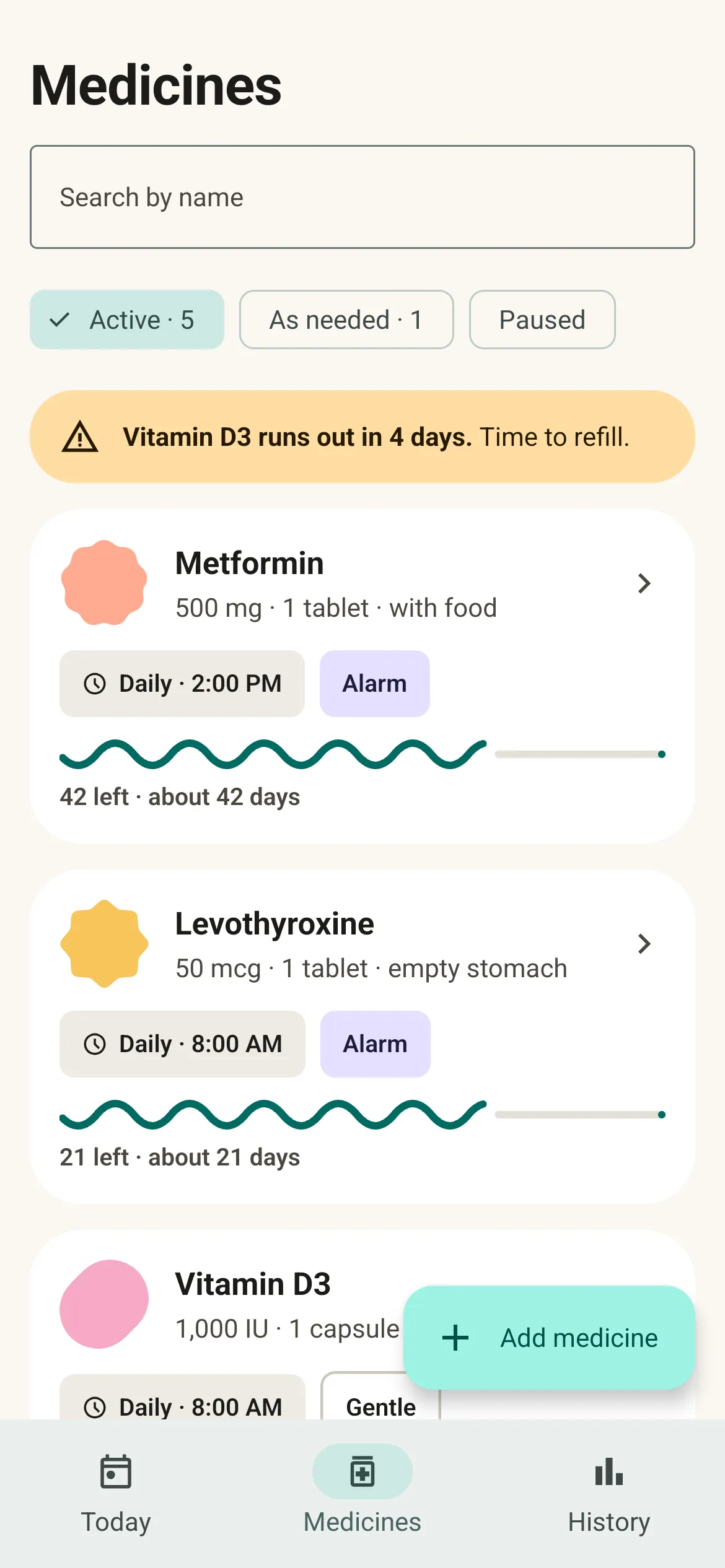
Real Medicines screen listing medicines and schedules that can be included in a doctor report
05 / 05

A clearer conversation starts here.

Create a PDF doctor report from your medicine records and health readings. Save an encrypted backup for yourself, or export a CSV when you need your own copy.

Read about exports and privacy
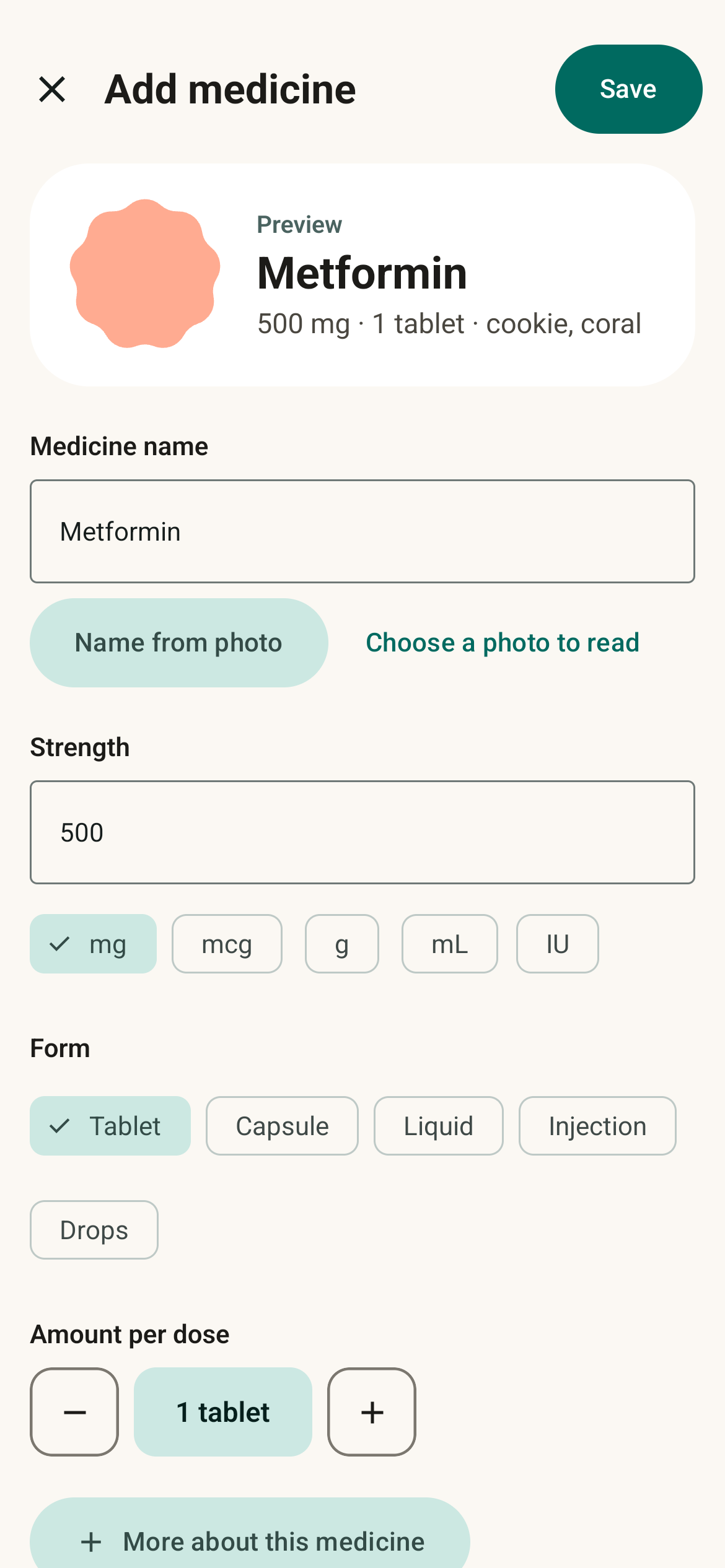
Add medicine form with medicine name, dosage, schedule, and refill settings
Medicine details, clearly organized.

The details,
all together.

Medicine names, doses, schedules and instructions have one place to live. Add a photo of the box, set an end date for a course, or keep track of medicines you take as needed.

Reading a name from a photo happens on your phone. You review the suggestion.

Private by design View full-size medicine editor

Personal means
private.

Your medicines stay on your phone.

  • Manage your medicine routine without signing in.
  • Encrypted storage on your device.
  • You choose what to export or share.
Read the full privacy policy

A few things
to know.

Can I use it offline?

Yes. The Android app runs on your phone, including medicine schedules and reminders. The offline release has no internet permission. You do not need an account.

Which medicine schedules can I set?

Set daily doses, reminders every few days or hours, and medicines taken as needed. You can use different doses at different times, enter half tablets, and set an end date for a course. Always enter the schedule your doctor or pharmacist gave you.

Will reminders always ring?

Reminder delivery depends on Android permissions and your phone’s battery settings. The app includes a reminder check-up and a test alarm. Some devices restrict background activity, and Android force-stop prevents reminders until you reopen the app. Delivery is not guaranteed.

Does it give medical advice?

No. Pill Reminder is not a medical device. It does not recommend or check doses, diagnose conditions or check medicine interactions. Follow your doctor’s or pharmacist’s instructions.

Can I move my records to a new phone?

You can save an encrypted backup file and restore it using your 12-word recovery phrase. Keep the backup and phrase safe: Piolez cannot recover them. Automatic Android cloud backup is disabled.

Is there an iPhone version?

Pill Reminder is designed for Android. An iPhone version is not available.

Pill Reminderby Piolez

Pill Reminder
privacy policy.

Last updated:

Pill Reminder by Piolez keeps your medicines, doses and notes on your phone. There is no account, no advertising and no analytics in the app. We, the people who make the app, never receive your medicine data. This policy covers the offline Android app, package com.piolez.pillreminder.

1. What the app keeps on your phone

What you enter: medicine names, doses, schedules, notes, the people you manage medicines for, health readings and appointments, and the doses you log.

Your records are kept in an encrypted database. Its key is held by Android’s secure key store on your phone. Photos you add to a medicine are kept in the app’s private storage.

Android’s automatic cloud backup is turned off for this app. If your phone is lost or reset, your records are gone unless you saved a backup file.

2. No internet access or tracking in the app

The offline Android release has no internet permission: Android does not let it connect to the internet. The app contains no advertising, analytics or tracking SDKs. No medicine data is sent to Piolez.

3. Reading a medicine box

When you ask the app to read a name from a photo, Google ML Kit reads the text on your phone, with its usage-log upload removed. The recognized text is used once to suggest names, then dropped. It is never stored or sent. A medicine photo you choose to keep stays in the app’s private storage.

4. When something leaves your phone

Only when you choose to share it: a backup file encrypted with your 12-word recovery phrase, a CSV export that is not encrypted, a doctor report as a PDF, or a message such as a refill request.

You choose the destination through Android’s share sheet. Copies you save or send are handled by the destination you choose. “Send feedback” opens your own email app; nothing is sent until you send it there. If you contact support, Piolez receives the message and any information you choose to include. Avoid sending health records or your recovery phrase.

5. Reminders on the lock screen

While your phone is locked, reminders hide medicine names. The full reminder is shown once you unlock your phone.

6. Permissions and why

Android permissions and device settings affect reminder delivery. You control them in Android settings.

  • Notifications: to show medicine reminders.
  • Alarms and reminders (exact alarms): to schedule a reminder at its specified time.
  • Full-screen notifications: for medicines you set to Alarm strength, when you allow this special access.
  • Run at startup: to restore reminders after the phone restarts.
  • Vibrate and keep awake: to vibrate and finish ringing a reminder.
  • Camera: only when you take a medicine photo. Android’s photo picker gives access only to the gallery photo you select.

The app does not request location, contacts, microphone, broad file access or internet permission.

7. Children

The app is intended for adults. A parent can manage a child’s medicines on the parent’s own phone.

8. Your choices and deletion

You can export or back up your records from Settings › Your data. Keep your recovery phrase safe: Piolez cannot recover it or your encrypted backup.

To delete the app’s records, uninstall it or clear its storage in Android settings. There is no medicine-data copy held by Piolez for us to delete. Backups, exports, reports and messages you saved or shared separately are not deleted by uninstalling the app; manage those copies where you saved or sent them.

9. Not medical advice

Pill Reminder helps you remember. It is not a medical device or medical advice. It does not recommend or check doses, diagnose conditions or check medicine interactions. Follow the instructions of your doctor or pharmacist.

10. This website is separate

The public Piolez website offers optional, consent-based Google Analytics and Microsoft Clarity. Those services load only if you accept website analytics. They are not included in the Pill Reminder app. See the Website privacy policy for website data handling and use Analytics settings at the bottom of this page to change your choice.

11. Changes and contact

We will update this policy when the app’s data handling changes. A version with network access or family sharing will require an updated policy before it is published. For privacy or support questions, contact [email protected].

[email protected] · Website privacy policy